NEO FLOW: production flow management for regulated plants
See where every batch is, how long it has been waiting, and what has to happen before it moves — with holding and running times tracked per stage instead of reconstructed at the end of a shift.
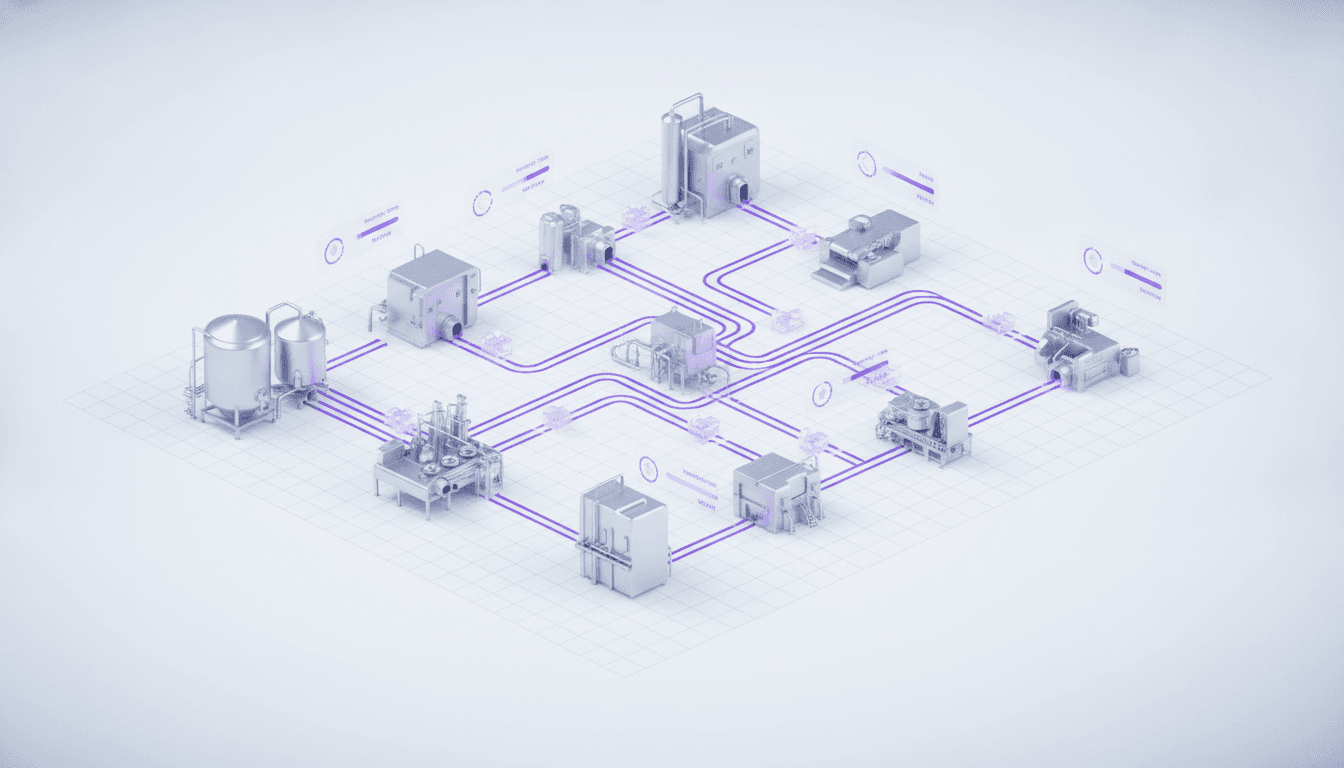
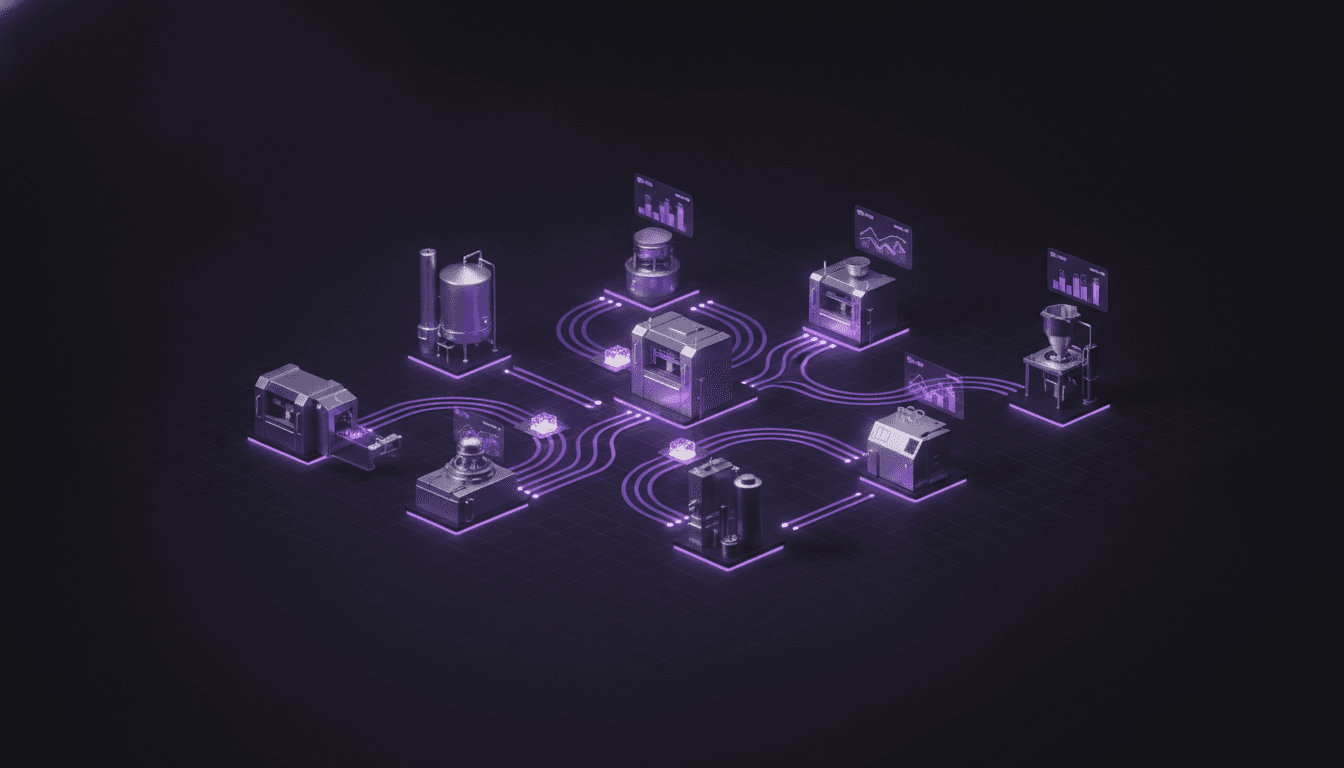
Work stalls when status lives on whiteboards and paper. NEO FLOW gives every stage a digital board, routing work automatically and showing exactly where each order is.
Bottlenecks become visible and hand-offs stop slipping through the cracks.
What is production flow management?
Production flow management is the orchestration of work orders through the plant: which stage a batch is in, which equipment and people are allocated to it, how long it has been there, and what has to happen before it can move on. It is the layer between the schedule, which says what should be made, and the batch record, which says how it was made.
In pharmaceutical manufacturing this matters more than in most industries, because the constraint is rarely machine capacity. It is waiting: an order sitting between stages because an area has not been released, a piece of equipment has not been cleaned, or nobody noticed it finished.
NEO FLOW manages that layer inside manufacturing execution: routes and stages per product, work orders with a release gate, holding and running times tracked per stage, and boards that show where every order is right now.
One place for the whole flow
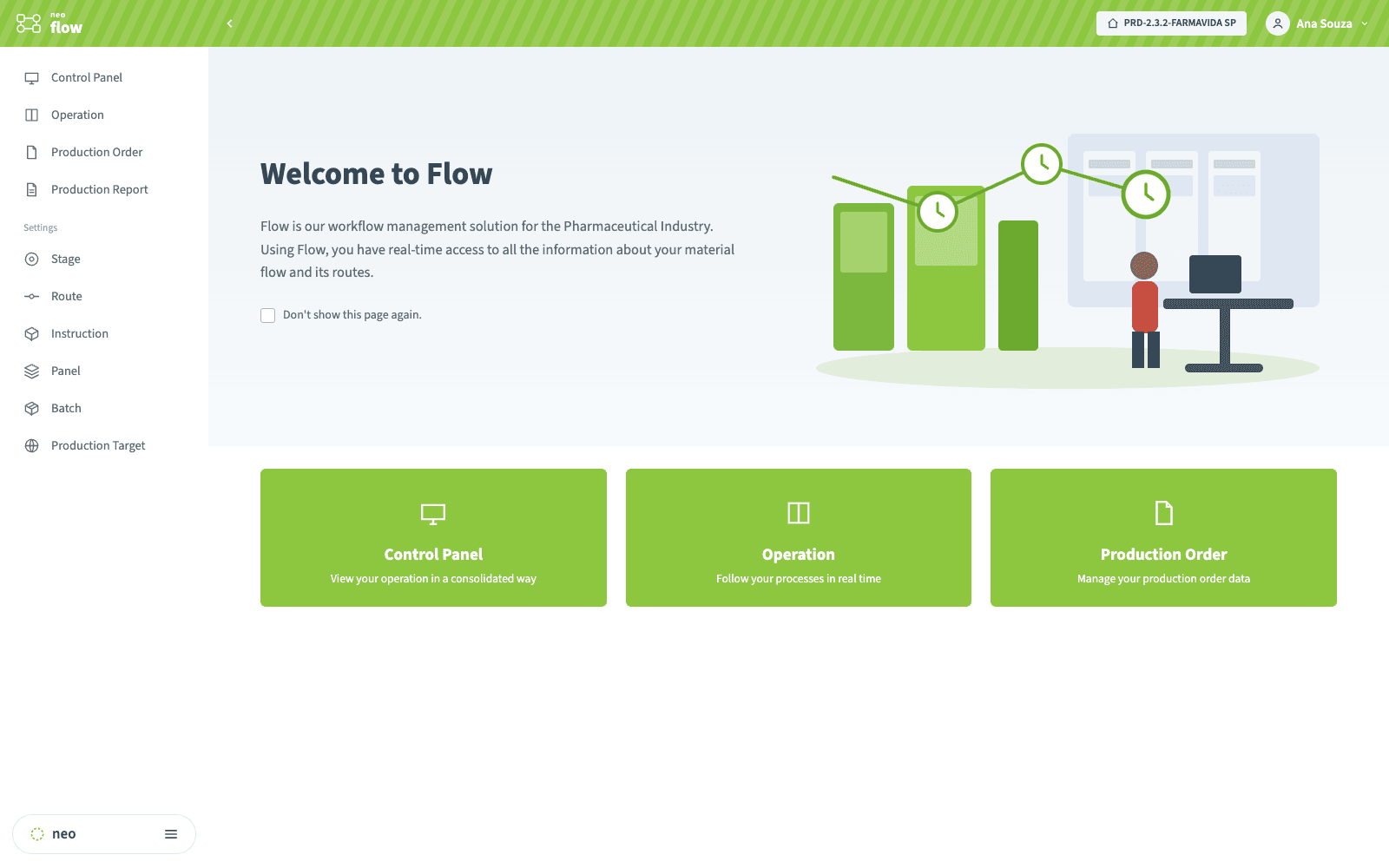
From the home screen the shop floor reaches the control panel, the live operation board and the production orders — one workspace for the material flow and its routes, instead of a spreadsheet per area.
What NEO FLOW solves
See it running
A walkthrough of the boards, a work order moving through its route, and how stage times are tracked.
Routes, stages and the release gate
A route is the path a product takes through the plant — weighing, compounding, encapsulation, pre-drying, drying, inspection, final reconciliation — with each stage carrying its own expected times and the procedures that gate it. A product can have more than one route, because the same material is not always made the same way.
A work order is an instance of that route for a specific batch. It is created blocked: until it is released it cannot be executed and does not appear on the operator’s tablet at all. That gate is deliberate — it is where planning stops and controlled execution begins, and it is what prevents a batch from starting on an area or equipment that is not ready.
Each stage can require a checklist, a procedure or an electronic batch record instruction before it opens, so the sequence is enforced by the system rather than remembered by a supervisor.
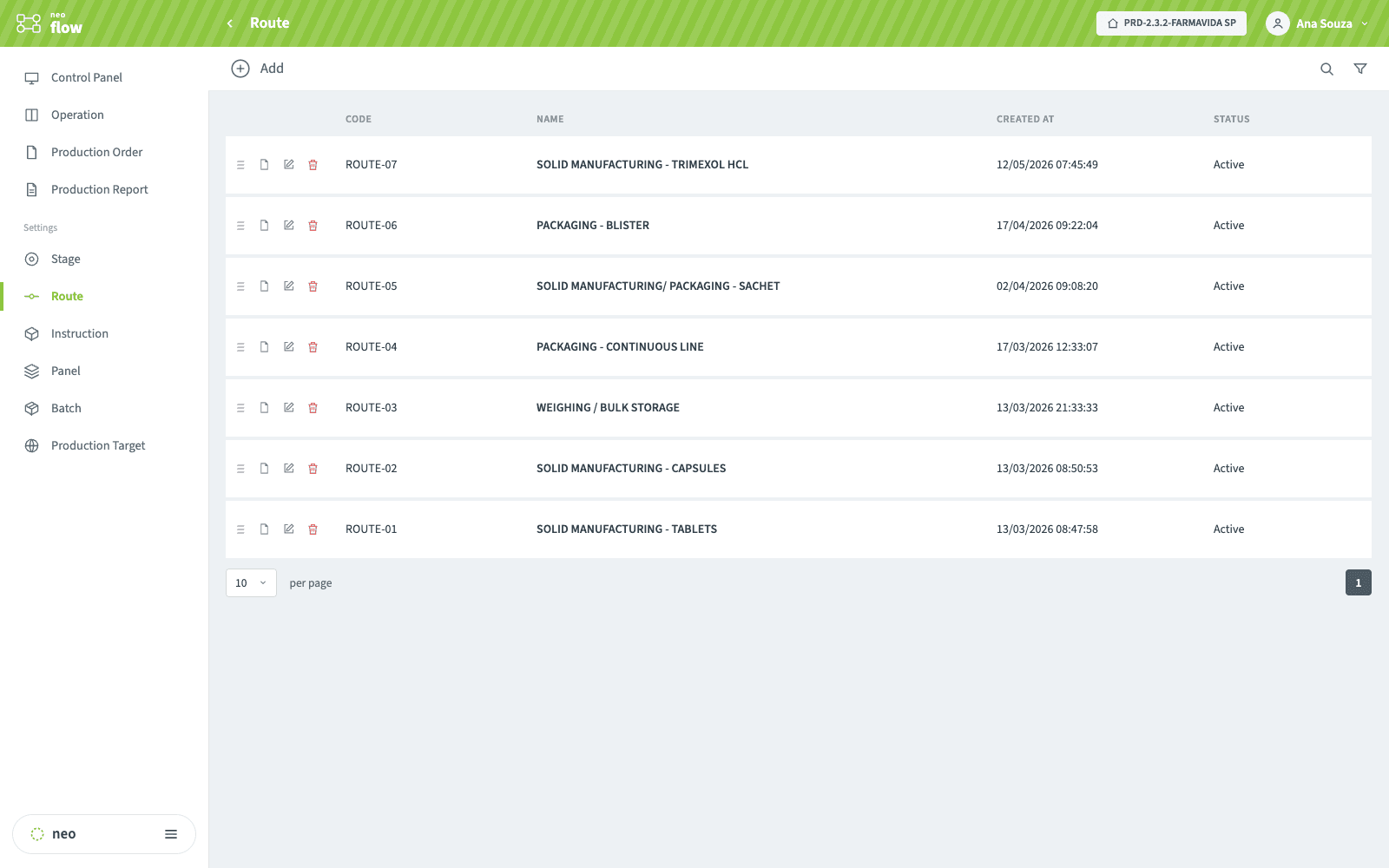
A route per product
Routes describe the path a product takes through the plant — solid manufacturing, packaging, continuous line. A product can have more than one, because the same material is not always made the same way.
Stages defined once, reused across routes
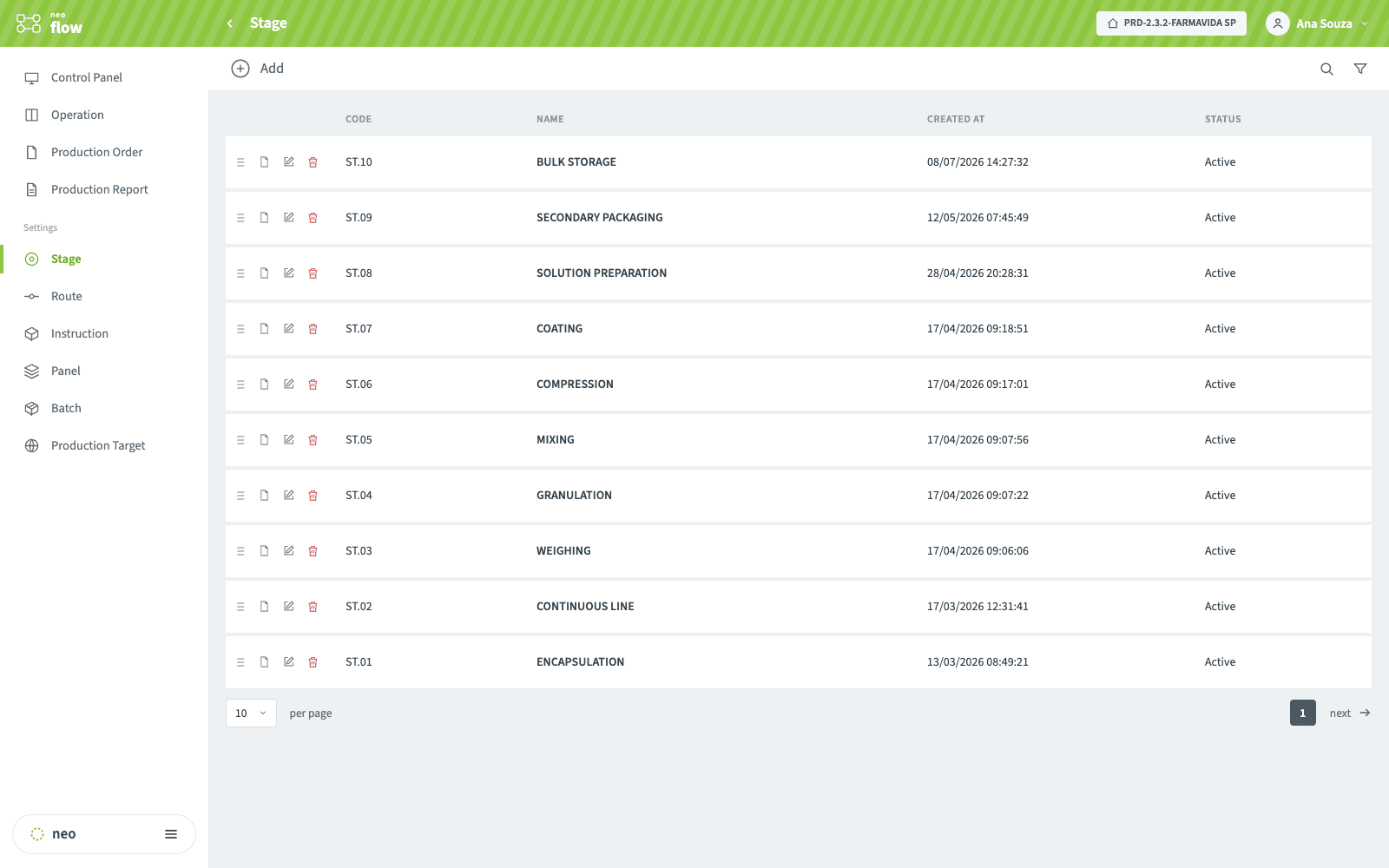
Weighing, granulation, compression, coating, packaging — each stage is registered once with its own expected times, then composed into the routes that need it.
Instructions that gate each stage
Each stage can require a versioned instruction, tied to its product and route, before it opens — so a stage runs against the current procedure rather than whatever a supervisor remembered.
Every production order, with its route and situation
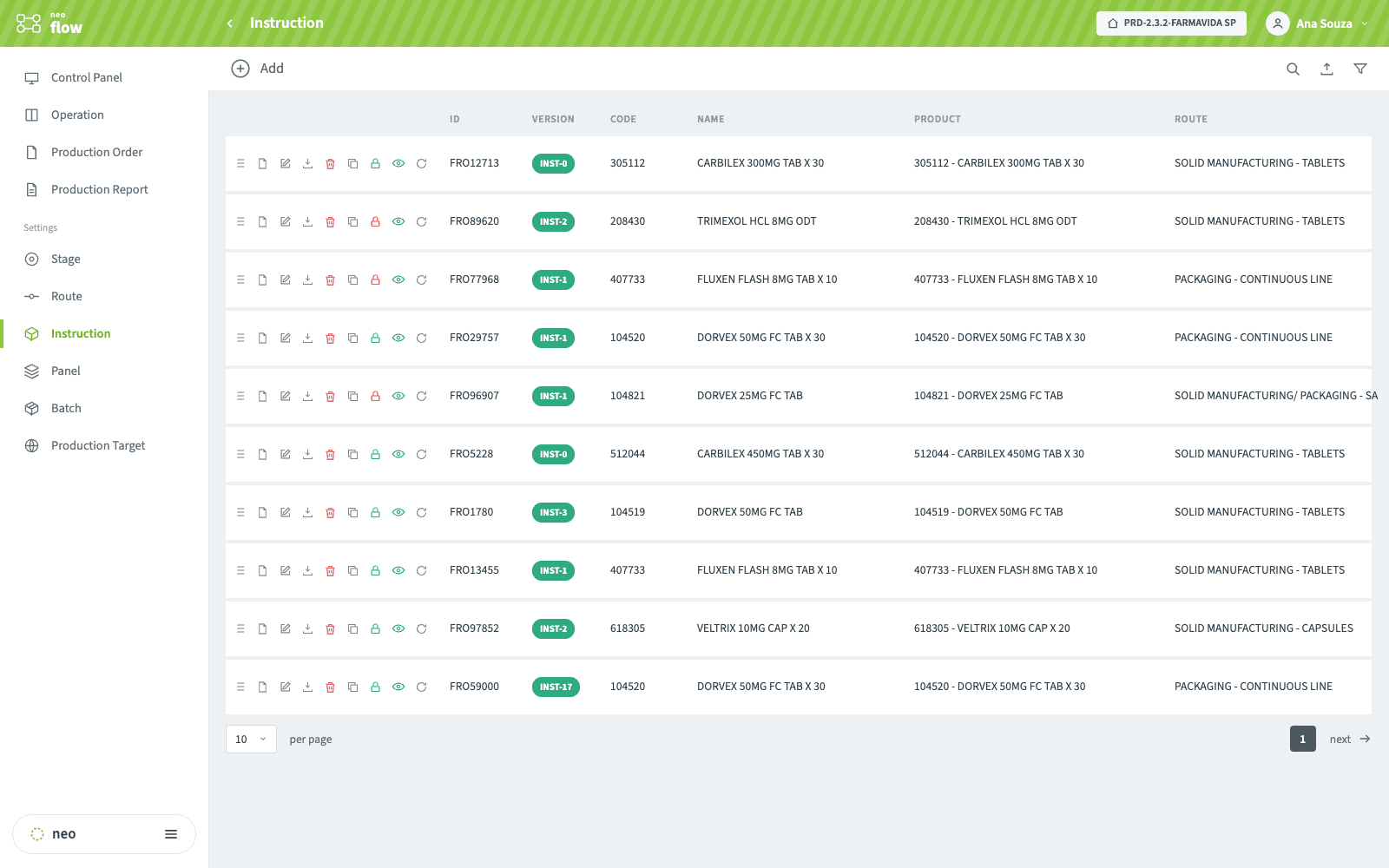
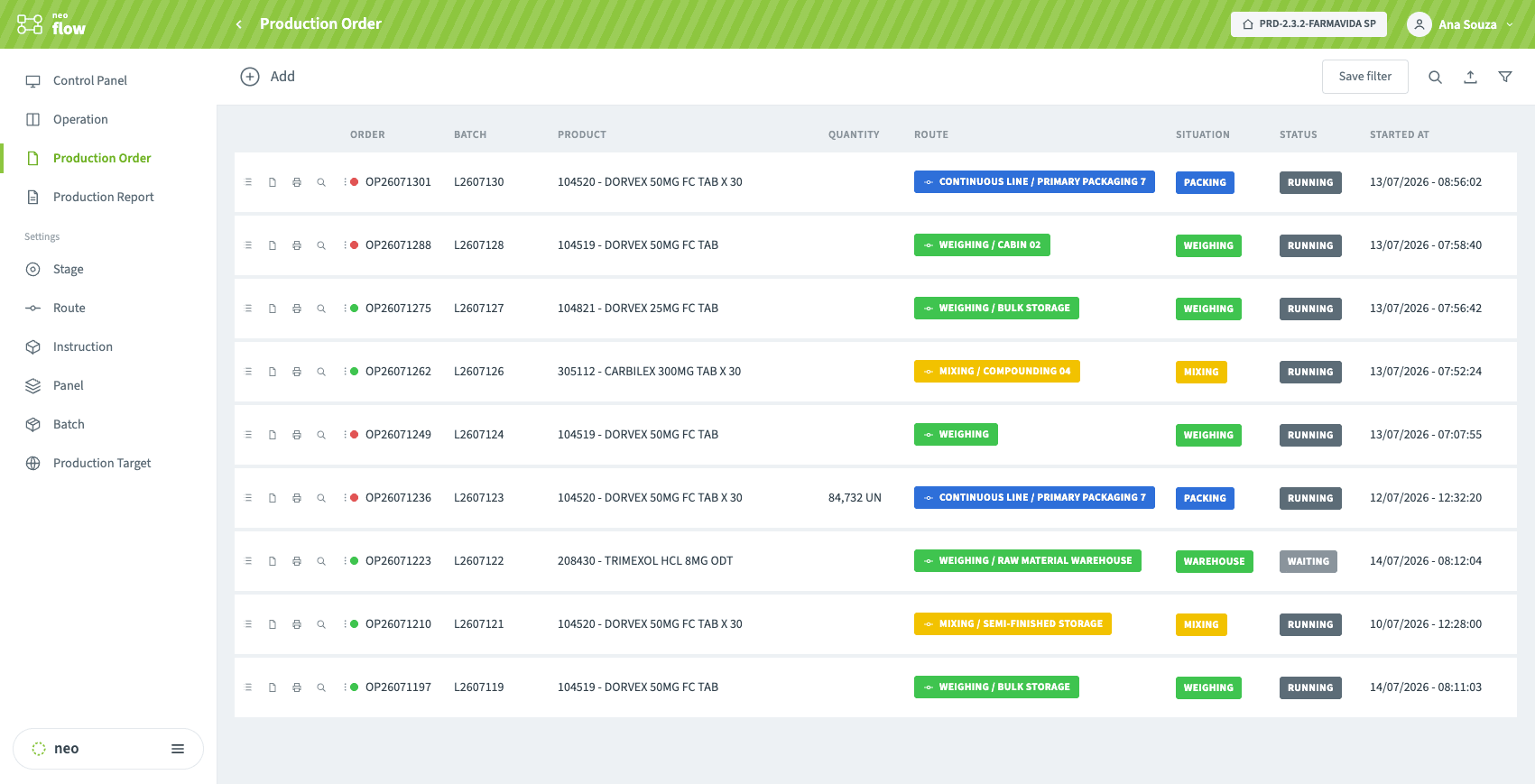
Each order carries its batch, product, route, current stage and status, with the time it started — so "where is order X?" is a filter, not a walk across the plant.
Holding time and running time
Two different clocks decide a plant’s cycle time, and confusing them is why improvement efforts often target the wrong thing.
- Running time is the stage actually being worked — compounding running, the machine encapsulating. This is what most improvement projects attack, and it is usually already close to its practical limit.
- Holding time is the batch waiting: waiting for weighing, waiting for area release, waiting between stages. In regulated manufacturing it is also a quality constraint — some intermediates cannot wait longer than a defined window without a deviation.
NEO FLOW tracks both per stage, against the times configured on the route, and shows an order in alert, in danger, exceeded or late before the limit becomes an investigation. That distinction turns a vague "the line is slow" into a specific stage with a specific queue.
It is also the honest input to equipment performance — a subject where definitions decide the number more than performance does.
Boards by stage, in real time
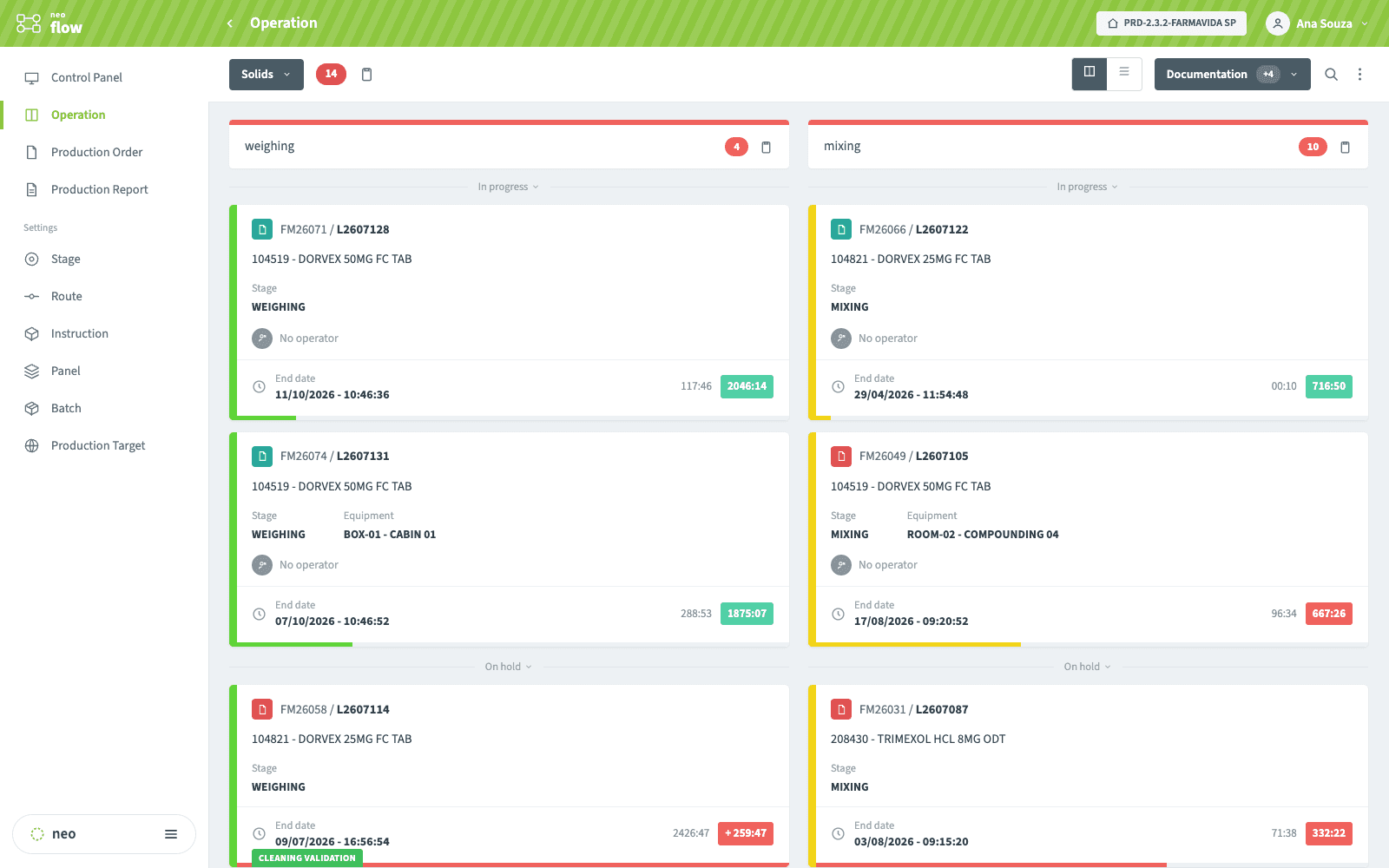
Every order sits in the column of the stage it is in — in progress or on hold — with its running and holding times counting up and its alert color changing before a limit becomes an investigation.
Most cycle time is queueing, not processing — and the queue is usually invisible. Talk to our team about mapping your routes, stage times and the holding times that constrain them.
What the shop floor and the supervisor get
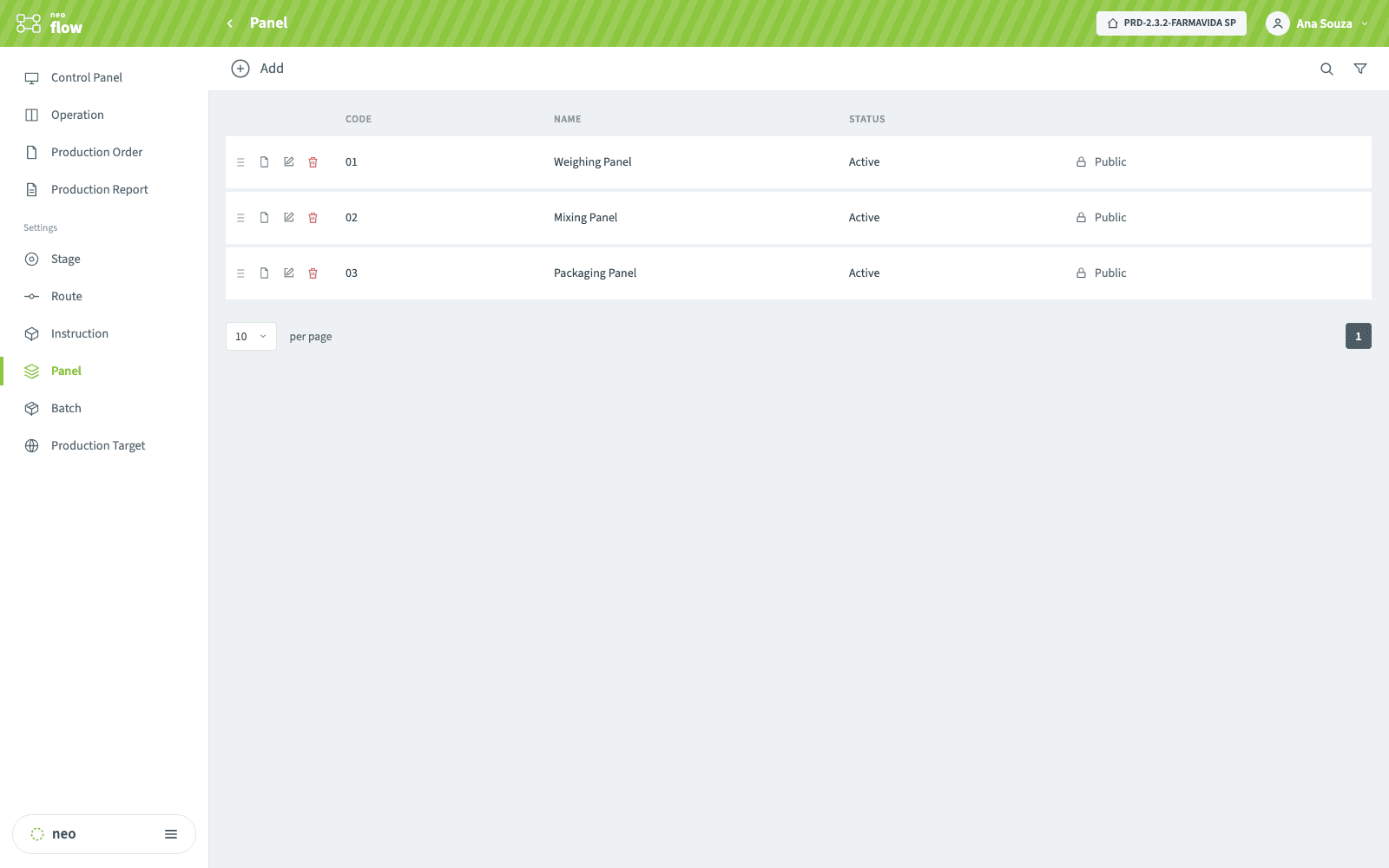
Visual management panels for the floor
Configurable panels — weighing, mixing, packaging — can be made public or shown on a TV screen, so the shift reads its own state without anyone asking for it.
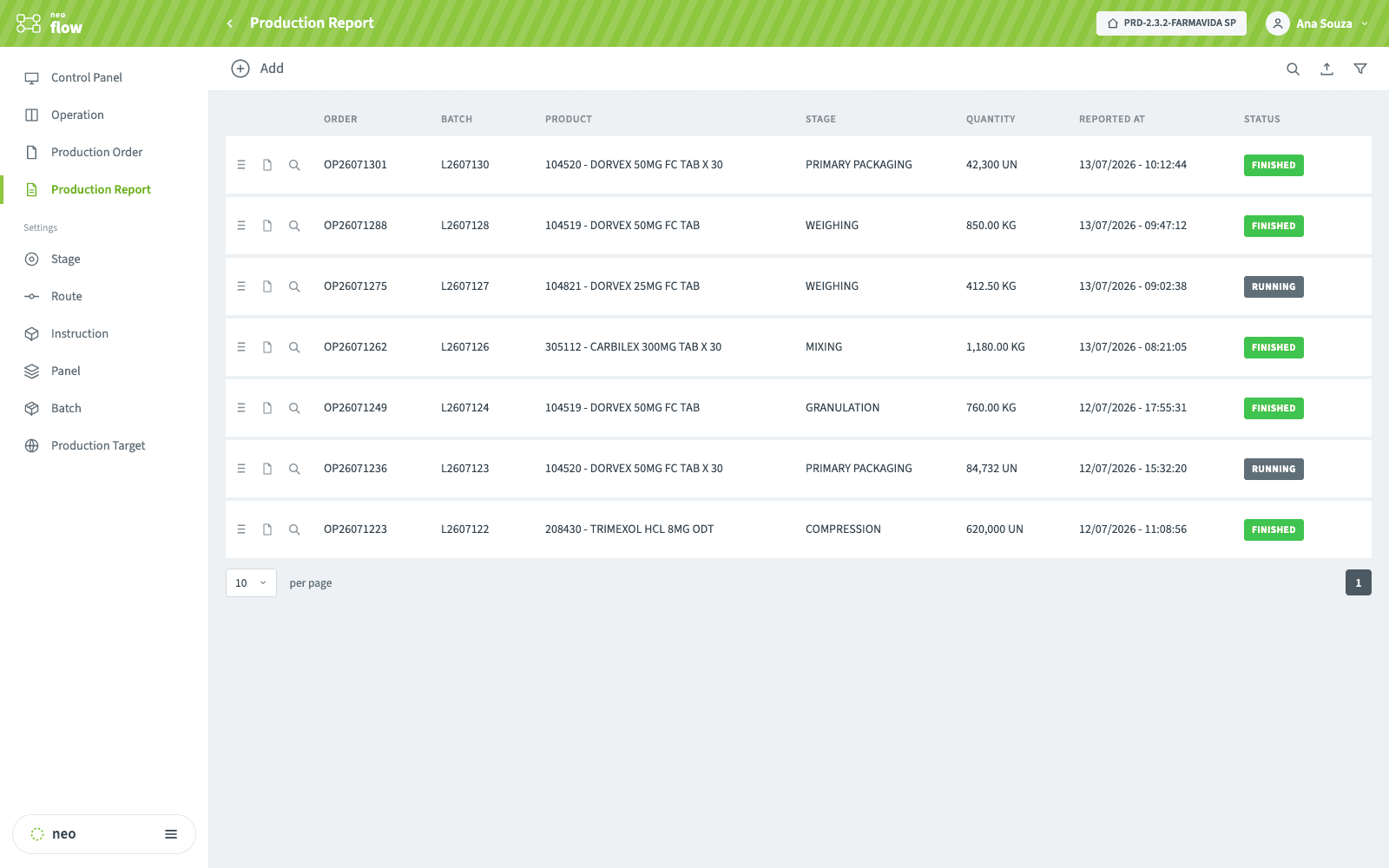
Production reporting without a second system
Quantities are reported per stage against the order as work closes — finished or still running — instead of being typed into a spreadsheet at the end of a shift.
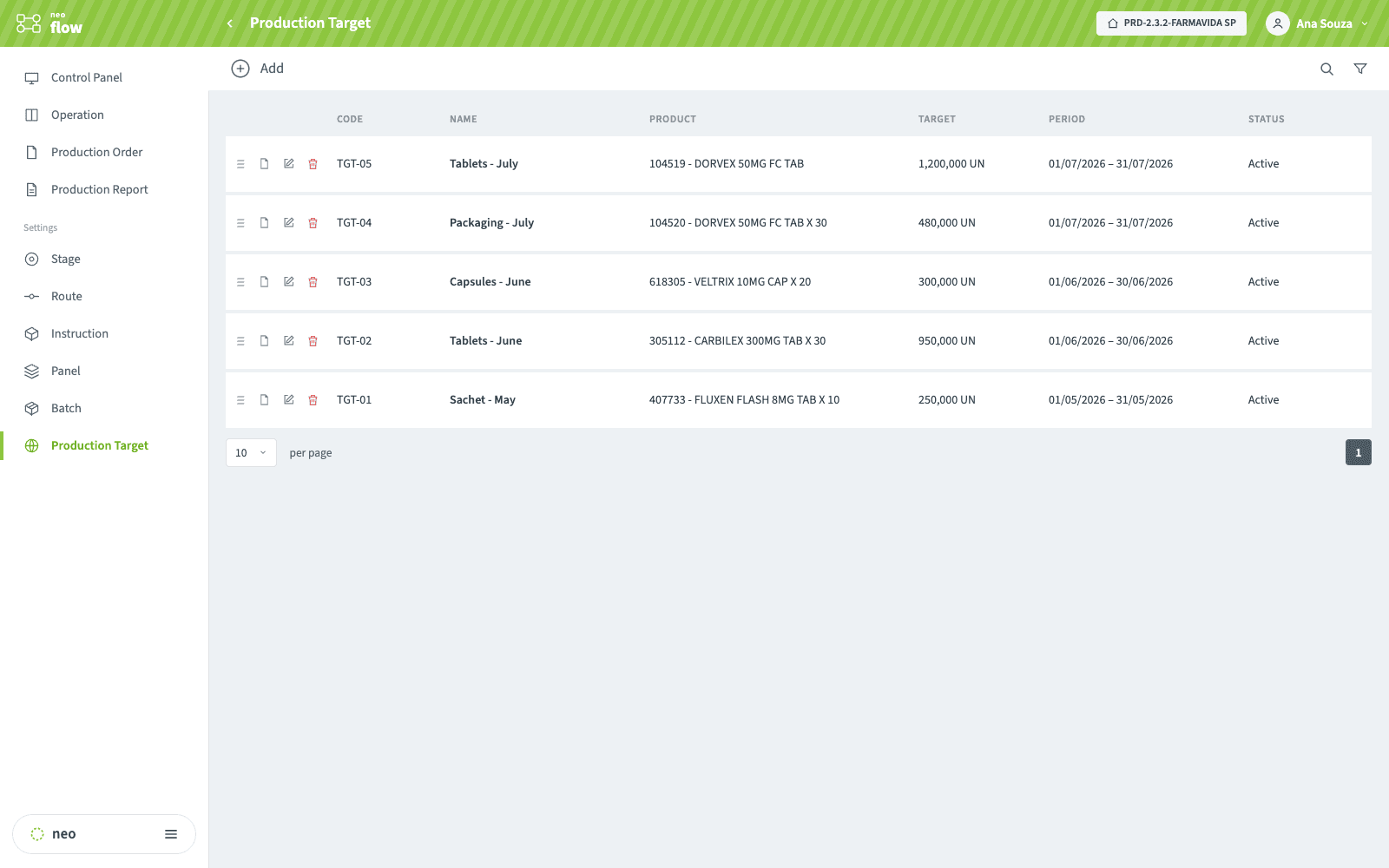
Production targets per product and period
Set a monthly target per product, and the reported production is measured against it — so a line drifting from its target is visible during the month, not in a report after it.
How an order moves
- Route and stagesthe path per product, with expected times
- Procedures attachedchecklists and instructions that gate each stage
- Work ordercreated blocked, bound to a batch and a route
- Releaseonly then does it reach the operator’s tablet
- Stage by stageresources allocated, holding and running time tracked
- Production reportingquantities and yield captured as the stage closes
- Order historyevery movement attributable and timestamped
- Batch recordtimes and resources feed the EBR
Typical applications
What each team gains
- One place that answers "where is it?"The board replaces the walk, the phone call and the whiteboard that was already out of date.
- Fewer surprises at the end of the shiftAn order approaching its holding limit raises an alert while there is still time to act on it.
- Holding times evidenced, not assertedThe record shows how long each intermediate actually waited, with the stage and the resource it waited on.
- A release gate that is enforcedProduction cannot begin on an unreleased order, so the control is structural rather than procedural.
- Real stage times, not estimatesScheduling against what the plant does rather than what the routing sheet says it should do.
- Throughput without capital expenditureMost recoverable time is queueing. Removing a queue costs coordination, not equipment.
Where NEO FLOW sits
FLOW decides where an order is and what it is waiting for, but it does not act alone. NEO TASK owns the state of the resources it allocates — cleaning validity, calibration, maintenance — and blocks anything not compliant, so a stage cannot start on equipment that is not ready. NEO EBR runs and records the procedure inside each stage, and the times and resources FLOW captures feed that batch record.
Where process values are involved, NEO PI supplies them with their origin timestamp instead of asking an operator to read a display. All four share one resource model, which is why a block in one is visible in the others.
Frequently asked questions
What is the difference between holding time and running time?+
Running time is the stage actually being worked. Holding time is the batch waiting — for the stage to start, for an area to be released, for the next step. In regulated manufacturing holding time is also a quality constraint, because some intermediates cannot wait beyond a defined window without generating a deviation.
Why is a work order created blocked?+
So that creating an order and authorising it are separate acts. Until it is released the order does not appear on the operator’s tablet at all, which prevents a batch from starting on an area, equipment or procedure version that is not ready.
Can one product have more than one route?+
Yes. The same material is not always made the same way — different equipment, different batch sizes, different campaigns. Forcing a single route into the system is how shadow processes and paper workarounds start.
How does NEO FLOW relate to NEO EBR?+
FLOW orchestrates the order through its route — which stage, which resources, how long. EBR runs and records the procedure inside those stages. FLOW decides that weighing is next and who is on it; EBR is what the operator executes when they get there, and the times and resources FLOW captured feed the batch record.
Do operators need a computer at every station?+
No. The operator app runs on a tablet in the room, and resources are identified by scanning a tag on the equipment itself, so status changes are recorded where the work happens rather than at a shared terminal afterwards.
Most cycle time is queueing, not processing — and the queue is usually invisible. Talk to our team about mapping your routes, stage times and the holding times that constrain them.